Security Breakpoint
Report Parameters
|
Field |
Description |
|---|---|
|
Report Name |
The name of the report. |
|
By User Roles |
When selected, a drop-down list, User Roles, appears with a list of user roles created in the Role Setup screen. Users can select preferred user roles and generate the report. By default, the All option will appear displayed |
|
By User |
When selected, a drop-down list, Users, appears with a list of user records created in the Users screen. Users can select only one user from the drop-down list at any time and view the list of breakpoints enabled or disabled for that user. By default, the first user record created in the Users screen will appear selected |
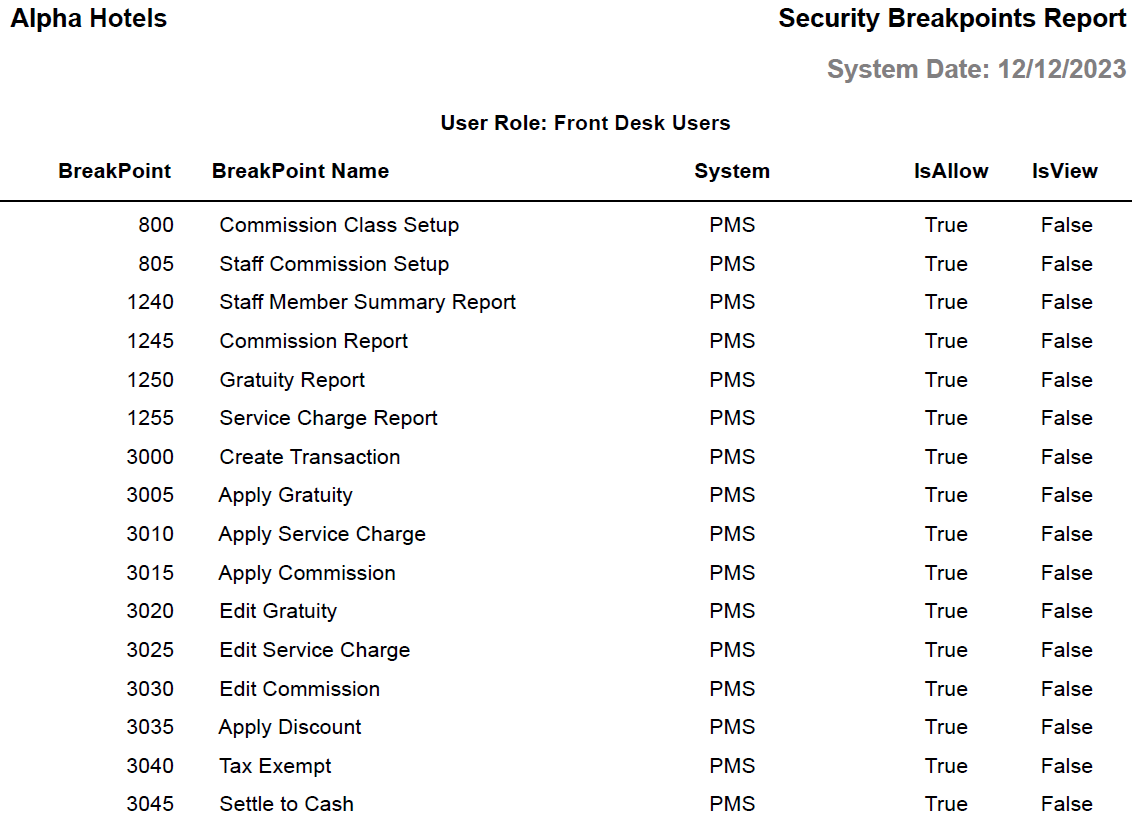
Sample Report - By User Roles
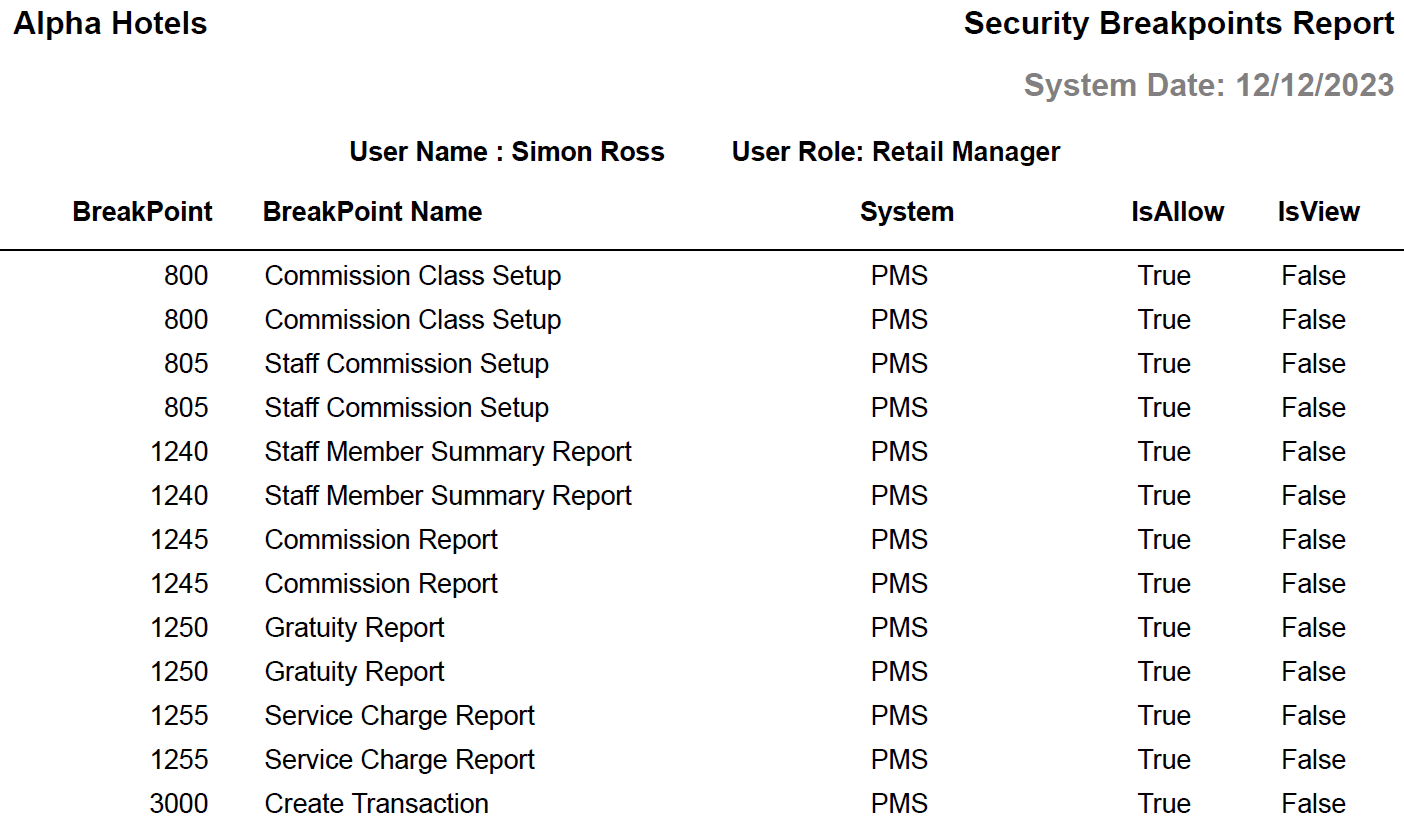
Sample Report - By User
Report Fields
|
Field |
Description |
|---|---|
|
User Name |
The username of the user for whom the report was generated. |
|
User Role |
The user role for which the report was generated. When multiple roles are selected, the list of breakpoints enabled or disabled for each user role will be displayed separately. |
|
BreakPoint |
The breakpoint number. |
|
BreakPoint Name |
The name of the breakpoint corresponding to the breakpoint number. |
|
System |
Indicates the applications to which the user or user role has access. |
|
IsAllow |
|
|
IsView |
|